
Host-owned context menu
The component never renders a menu. onContextMenuRequest reports what was right-clicked, the day under the pointer and a restoreFocus closure; the host decides what to show.
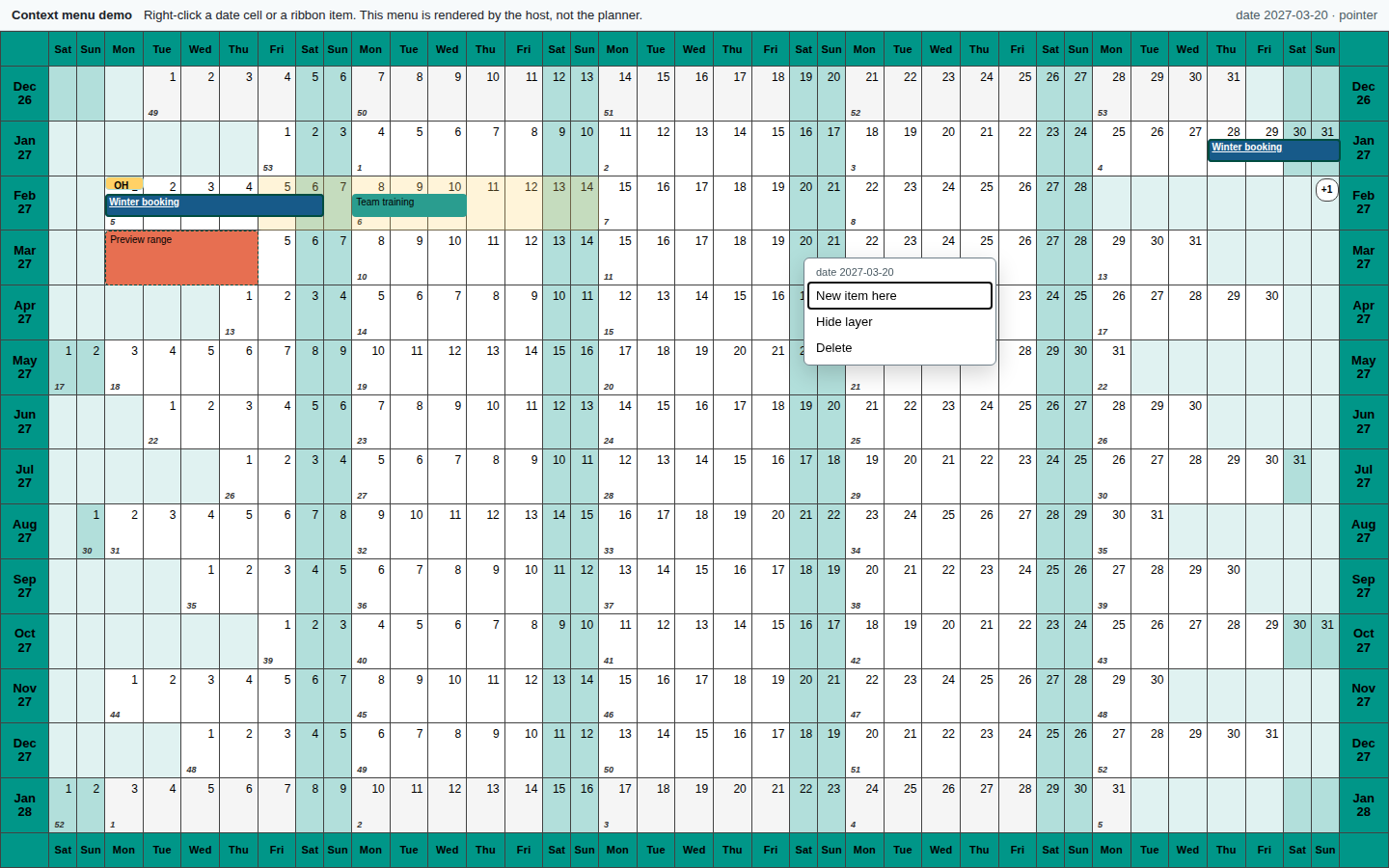
The request
ts
type PlannerContextTarget =
  | { kind: "date"; date: DateKey }
  | { kind: "item"; itemId: string; date: DateKey }
  | { kind: "annotation"; annotationId: string; date: DateKey };
For an item or annotation, date is the pointer day, not the fragment start. The request also carries clientX, clientY, anchorRect, source: "pointer" | "keyboard" and restoreFocus.
Host skeleton
tsx
const [request, setRequest] = useState<PlannerContextMenuRequest>();

<YearPlanner
  year={2027}
  items={items}
  layers={layers}
  onContextMenuRequest={setRequest}
/>;

{
  request && (
    <div
      role="menu"
      aria-label="Project actions"
      style={{ position: "fixed", left: request.clientX, top: request.clientY }}
      onKeyDown={(event) => {
        if (event.key === "Escape") {
          request.restoreFocus();
          setRequest(undefined);
        }
      }}
    >
      <button type="button" role="menuitem" onClick={() => createItem(request)}>
        New project here
      </button>
      <button type="button" role="menuitem" onClick={() => deleteItem(request)}>
        Delete project
      </button>
    </div>
  );
}
Call request.restoreFocus() when the menu closes. A Fluent UI Menu or MUI Menu is a drop-in replacement for the plain list; the contract is the same.
Behaviour
- Without a handler the native browser menu is preserved.
- Right-clicking an unselected item selects it without starting a gesture.
Shift+F10and theContextMenukey raise the same request withsource: "keyboard"; the browser's follow-upcontextmenuevent is suppressed, so the host receives one request.- Touch long-press keeps the native menu and does not raise a request.
- The month band, weekday header and surrounding chrome are not date targets; they keep the native menu.
- Hidden items are absent from the DOM and cannot be targets.
Common actions
| Target | Useful actions |
|---|---|
| Item | Edit, duplicate, mark complete, delete |
| Date | New project here, paste, clear selection |
| Annotation | Open milestone, edit label, delete |
Keep destructive actions immediate and offer Undo rather than a second confirmation dialog. The planner's local undo stack covers commands sent through the handle.